Features
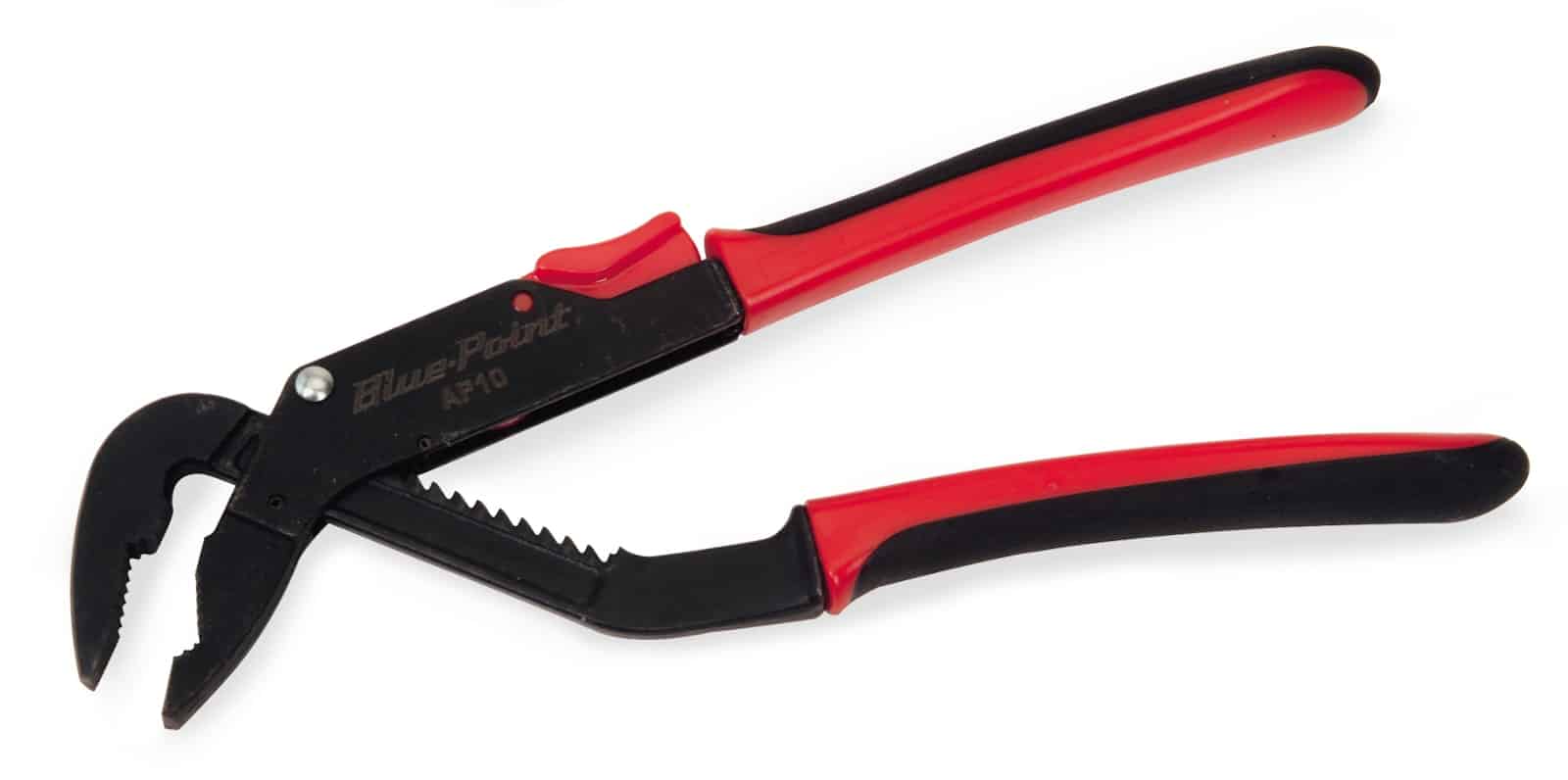
• Unique thumb grip provides ability to change jaw setting without releasing grip on tool
• 10″ L


Liên hệ
AP10 — 10" Adjustable Joint Pliers (Blue-Point®). Grip or cut only the materials and components covered by the tool’s design.
Official catalogue country of origin: ARG.
AP10 — 10" Adjustable Joint Pliers (Blue-Point®). Grip or cut only the materials and components covered by the tool’s design.
Vehicle repair, fabrication and maintenance workshops are potential users, depending on the specific jaw and cutting function.
These industry examples are selection guidance, not additional manufacturer approvals.
Gripping pliers, cutters and snips perform different jobs. Compare the stated function and capacity rather than overall length alone.
The table compares the listed model details. These are selection options, not confirmed replacements. Check the differences against your task and existing equipment.
| Compare | AP10 | AP12 | AP7 |
|---|---|---|---|
| Official model description | AP10 — 10" Adjustable Joint Pliers (Blue-Point®) | AP12 — 12" Adjustable Joint Pliers (Blue-Point®) | AP7 — 7" Adjustable Joint Pliers (Blue-Point®) |
| Dimension C, Overall Length, inches | 10 | 12 | 7 |
| Dimension A, Maximum Jaw Positions | 11 | 13 | 9 |
| Dimension B, Parallel Opening, inches | 1-3/4 | 2-1/16 | 1-1/2 |
Select the contact shape for the work rather than choosing only by overall length. Pliers, snips, clamps and vises may grip, cut or hold, but those functions are not interchangeable. Compare the actual jaw or blade geometry, the published capacity and the space needed to operate the handles. A nominal opening can be useful information without describing the complete working range.
For a set, check the individual tool types and sizes against the planned tasks. A larger assortment is valuable only when its contents are relevant. Also, distinguish a general gripping tool from a purpose-specific service tool. Do not infer an electrical, non-sparking or other protective rating from the handle colour or material. Before use, follow the manufacturer’s limitations and the relevant work procedure. For a replacement tool, describe the existing model and the access or function that needs to change.
Define the intended job in practical terms before comparing options. Record the equipment or component involved, the operation to perform and the access available around it. Include the current tool or accessory if this purchase replaces an existing item. That context helps distinguish a size change from a different product function. It also makes the application and industry examples above easier to assess against the actual work.
The official listing identifies this model as 10" Adjustable Joint Pliers (Blue-Point®). Its catalogue grouping is Pliers and Cutters (Blue-Point®) / Adjustable Joint (Blue-Point®). Use that description to identify the product format, then read the individual specifications for the details that matter to the job. A category describes where the product sits in the range; it is not an additional compatibility approval.
For this record, the available specification labels include Dimension C, Overall Length, inches; Description (Chart); Dimension A, Maximum Jaw Positions. Read each value together with its label and unit. A drive size, external dimension and working range describe different things, even if their numbers look similar. If the job requires a value that is not listed, request that detail before ordering instead of estimating it from the photograph.
The catalogue country-of-origin field is ARG. This field concerns the listed product origin; it does not identify local inventory, delivery time or the warranty terms of a Vietnam quotation. Confirm those commercial details separately.
The comparison above names AP12 and AP7. Review the displayed differences against the requirement for this job. Begin with function and compatibility, then compare access, configuration and included components. If the names differ by size, drive, colour or kit format, identify which difference matters before making a choice. Similar models are not automatic replacements, and a larger or more expensive option is not necessarily the better match.
Ask for a line-item description of the supplied configuration. For a set or kit, confirm the contents; for a component, confirm the quantity and the matching parent model where relevant. If photographs show a larger assembly or several items, do not assume all of them form part of this SKU. Keep any essential accessories and documents explicit in the quotation so that receiving checks can follow the same requirements.
On receipt, compare the item and its packaging with the ordered model, quantity and configuration. Check the supplied components and any requested documentation. Keep the product identification visible in the workshop’s inventory record. If the delivered item differs from the confirmed order, resolve that difference before assigning it to the planned job. This is especially useful when a range contains visually similar sizes or accessories for different parent tools.
For continued use, follow the manufacturer’s instructions for inspection, cleaning, storage and maintenance. Do not assume that a cleaning chemical, lubricant or maintenance method used on another tool is suitable here. Keep damaged or uncertain equipment out of the planned task until its condition is assessed. Record any replacement parts by model so future orders use the confirmed reference rather than a visual guess.
Send Techmaster Vietnam the model number AP10 and details of your task or existing equipment. Include any required sizes, connections and accessories. This helps identify the correct configuration.
Before ordering, confirm the quotation, lead time, package contents and applicable warranty terms. The official catalogue is the technical reference; it does not establish local stock or a Vietnam selling price.
For the source record, see the official Snap-on product listing. You can also browse the Vietnam product catalogue for related tools.